Smart Drawing Workplace
Description
Smart Drawing Workplace is an auxiliary drawing software tailored for engineering design and manufacturing. It focuses on solving core inefficiencies such as dimensioning, bubble numbering matching, and version comparison when handling multi-version and multi-level engineering/process drawings.
Utilizing advanced dimension text recognition algorithms, the tool automatically extracts key dimension data from engineering and process drawings, enabling automated bubble numbering and matching. This significantly reduces manual processing time and error rates, ensures data consistency and accuracy, and ultimately boosts overall development efficiency.
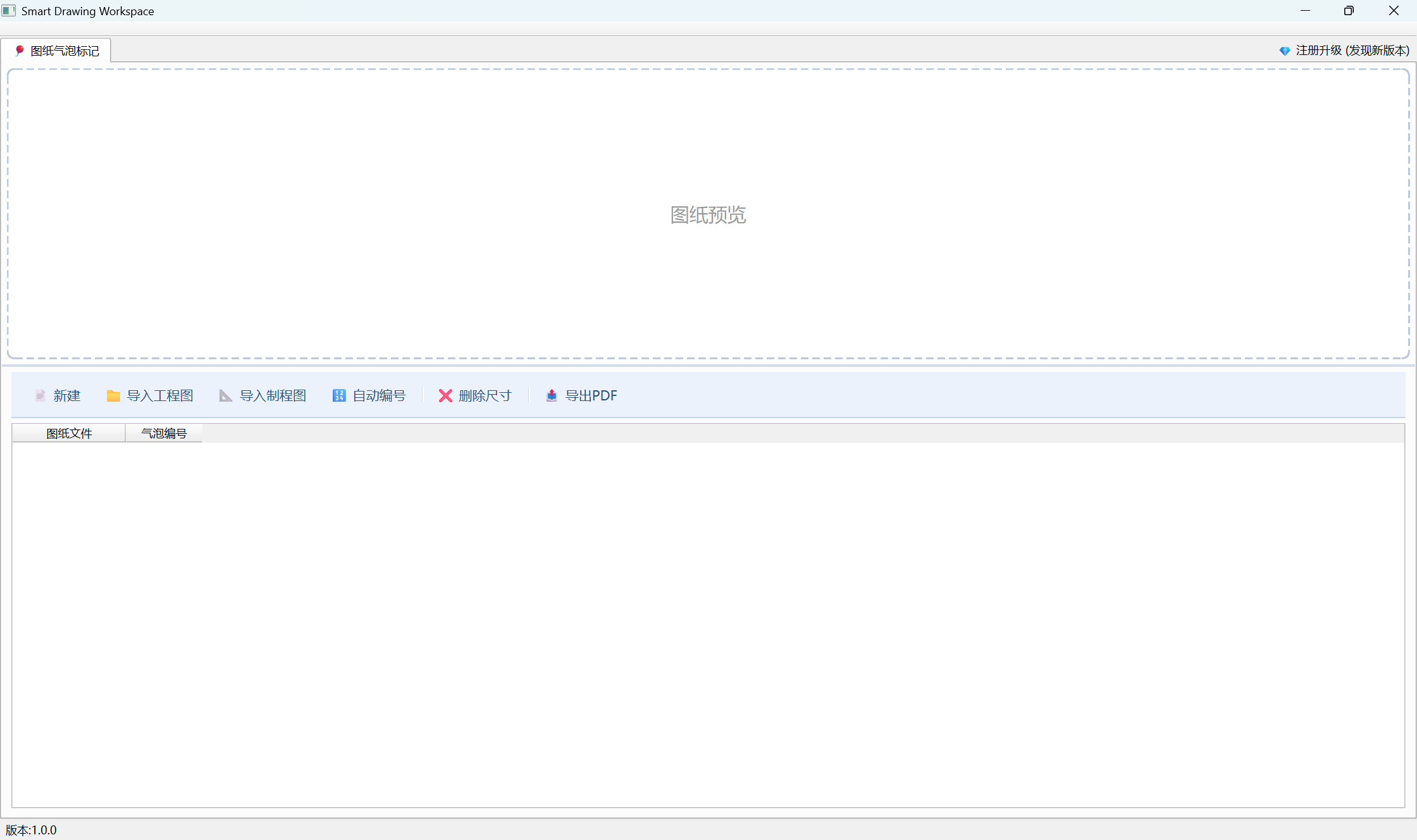
Steps
Drawing Ballooning & Labeling
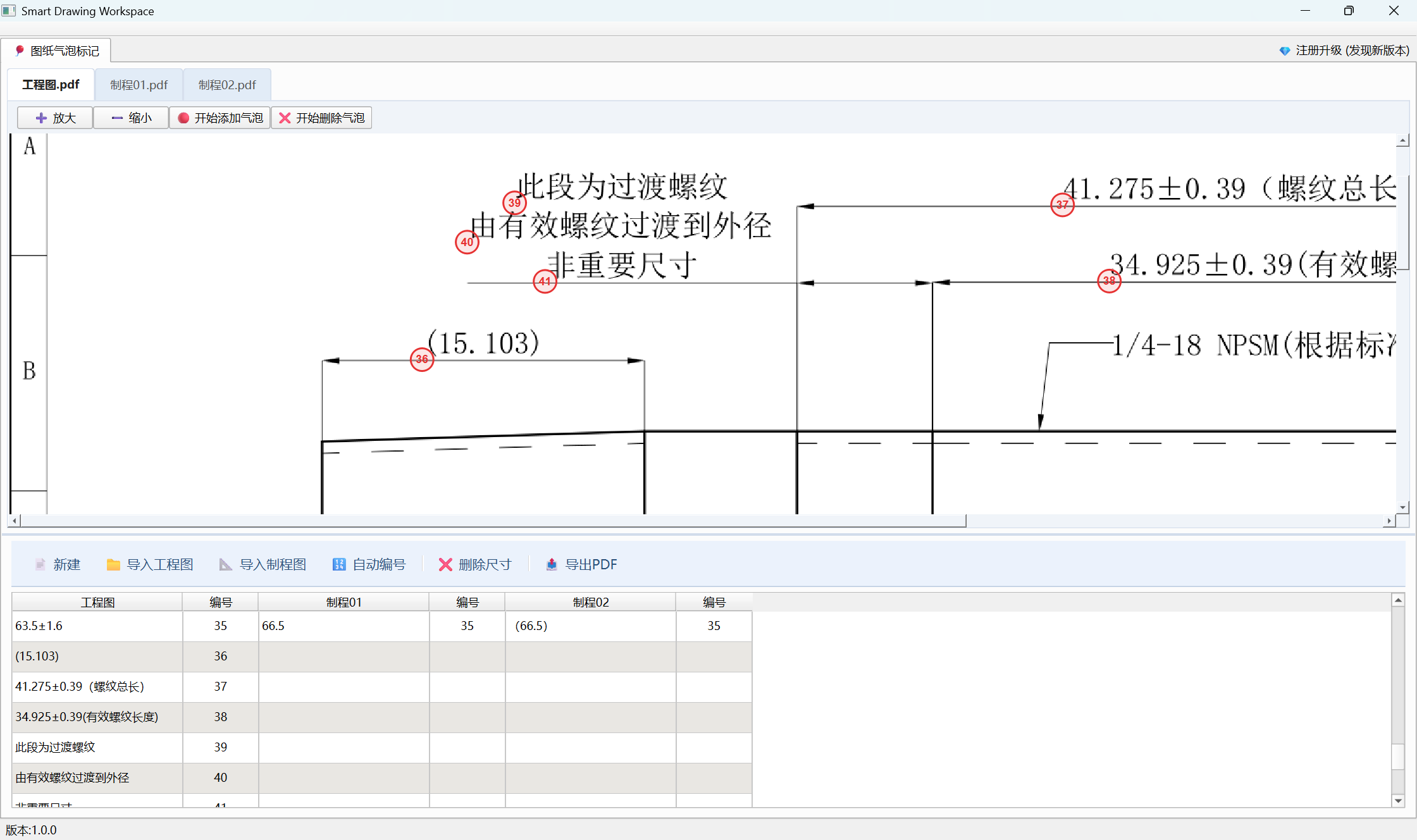
Link one engineering drawing with multiple process drawings via dimension text, and mark balloons in sequential order.
The following operations are supported:
1New Project: Clear all drawings and data from the previous session.
2Import Engineering Drawing: Support importing a single engineering drawing.
3Import Process Drawing: Support importing a single process drawing (Simple Mode) or multiple process drawings.
4Auto-Number: Once drawings are imported, automatically link all files, generate sequential balloon numbers, and display balloons in the PDF preview area.
5Delete Dimension: If a dimension text does not require a balloon, select the dimension text cell and click Delete Dimension to remove it. If a balloon number is not needed, select the balloon number cell and click Delete Dimension to remove it. This operation supports deleting the item from either the current file only, or across all files.
6Zoom In: Enlarge the drawing view in the PDF preview area.
7Zoom Out: Shrink the drawing view in the PDF preview area.
8Add Balloon: Manually add balloons in the PDF preview area. Click Add Balloon, then click anywhere on the PDF preview to place a balloon. Click Stop Adding when finished.
9Delete Balloon: Manually remove balloons in the PDF preview area. Click Delete Balloon, then click on an existing balloon to remove it. Click Stop Deleting when finished.
10Double-click Balloon: Double-click any balloon in the PDF preview area to edit its number. If the number exists in the dimension table, it will update synchronously via bidirectional linkage.
11Export PDF: Click Export PDF to export all balloon-marked PDF files within the current project.
Release Notes
Version: 1.0.1
New Features
- Implemented the drawing ballooning and labeling module.
UI Optimizations
- Optimized the main interface and added a PDF preview area.
- Unified the drawing dimension tables.
Bug Fixes & Improvements
- Fixed an issue where the divider line became invisible under specific conditions.
- Optimized download and update interactions to prevent accidental window closure.
Future Roadmap
- Add a drawing version comparison module.
- Introduce an English localized version.